AI Headshots for Realtors and Real Estate Profiles
Create a current portrait for your agent bio. Compare styles, prepare source photos and check requirements for property platforms and printed materials.
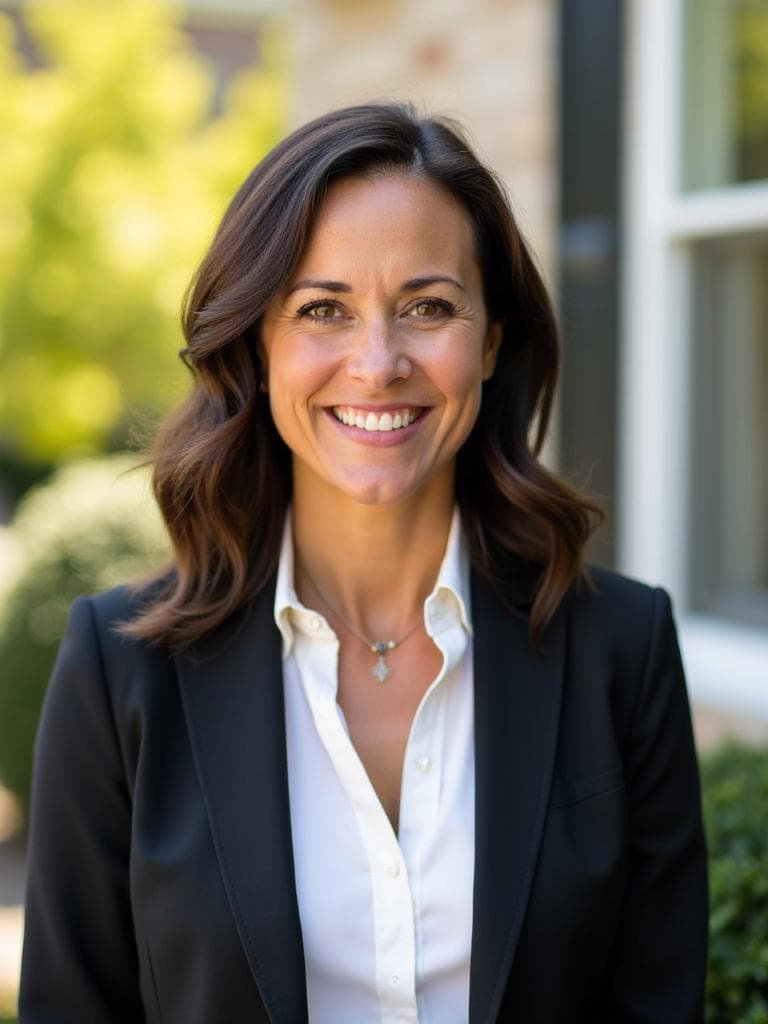

Examples generated with Kaptura AI · Results vary by input photos
Your portrait may appear beside a property listing, on a brokerage website and in an introduction to a new client. Using a current image across those places helps people recognize you when you meet.
For real estate professionals, an AI headshot can be an option for updating a digital profile. Start with the platforms you use and your brokerage's branding, then decide what kind of image you need.
Plan the portrait around its destination
Check how your photo will be cropped. A circular avatar, a vertical biography image and a business card leave different amounts of room around the face. Test the crop at the actual display size before choosing your final portrait.
The Realtor style offers a professional direction for agent profiles. Browse the current examples and compare it with Business or Casual if those better reflect your brokerage. Choose attire and an expression that feel like you today.
Keep generated backgrounds from implying that you own, work at or represent a particular property when that is not true. For a portrait at a specific listing or office, arrange a photograph at that location.
Check platform and print requirements
Review the current image rules for your MLS, Zillow, Realtor.com and brokerage site before uploading. Requirements can differ by service and account. HD resolution and commercial usage rights do not guarantee acceptance everywhere.
For print, tell the designer or printer the final dimensions and provide the original file. A small business card and a large yard sign need different levels of detail. Do not assume a portrait that looks sharp on a phone will work at poster size.
If a campaign needs a large portrait, a specific location or detailed art direction, compare the brief with a photographer. Our AI and photography guide explains that decision.
Prepare a new portrait
Sign in with your email and prepare four to ten recent photos of yourself. Use clear light, keep your face visible and include a front view and slight turns to either side. Avoid group photos, sunglasses and heavy filters. The photos must show the same person.
Choose one style pack and a portrait quantity, then review the price before paying. The advertised generation time is about ten minutes. This is an estimate, not a deadline, and does not include preparing your photos. An email lets you know when your results are ready.
After delivery, review facial resemblance, teeth, eyes, hands where visible and clothing details. Select a natural result that suits the intended profile. You may need different crops of your chosen image for different platforms.
Choose your portrait quantity
| Plan | Portraits | Style packs per session | Price in USD |
|---|---|---|---|
| Starter | 20 | One | $19 |
| Premium | 50 | One | $39 |
| Professional | 100 | One | $49 |
Every plan includes HD resolution and a commercial license. You choose one of nine available style packs for your session. A larger plan adds portraits, not extra style packs or people. Prices were checked on September 21, 2026. See current pricing before ordering.
For a brokerage team, use a separate session for each agent. Agree on a style and selection criteria in advance. This can provide a common direction, although generated backgrounds and lighting may vary.
Keep your profiles consistent
Once you have an approved image, update your agent bio, website and other permitted profiles together. Save the original and note any crops supplied to the brokerage so the next update is easier.
A portrait is one part of your introduction. Keep contact details, service areas and professional information current too. There is no promised increase in inquiries from changing a photo alone.
If you are unhappy with your results, email hello@kaptura.ai within three calendar days of delivery to request a full refund. The window starts with the delivery notification. Read the refund policy for processing times and arrangements for incomplete orders.
Frequently Asked Questions
Will every MLS or property platform accept the image?+
Can I print my portrait on a yard sign?+
How many source photos do I need?+
Does every plan include all nine styles?+
What if I am unhappy with my results?+
Get Your Professional Headshots
Professional portraits from your photos. Choose one of nine styles.