AI Headshot Cost vs Professional Photographer: The Complete 2026 Comparison
AI headshot cost starts at $19 vs $250+ for a photographer. Compare quality, speed, and value to find the best professional headshot option in 2026.
- 01How Much Do Professional Headshots Actually Cost in 2026?
- 02AI Headshot Cost Breakdown: What You Actually Pay
- 03Quality Comparison: Can AI Really Replace a Photographer?
- 04AI Headshots for LinkedIn: Why It's the #1 Use Case
- 05Speed & Convenience: The Time Factor
- 06How to Choose: Decision Framework
- 07Best AI Headshot Generators in 2026
- 08The Bottom Line

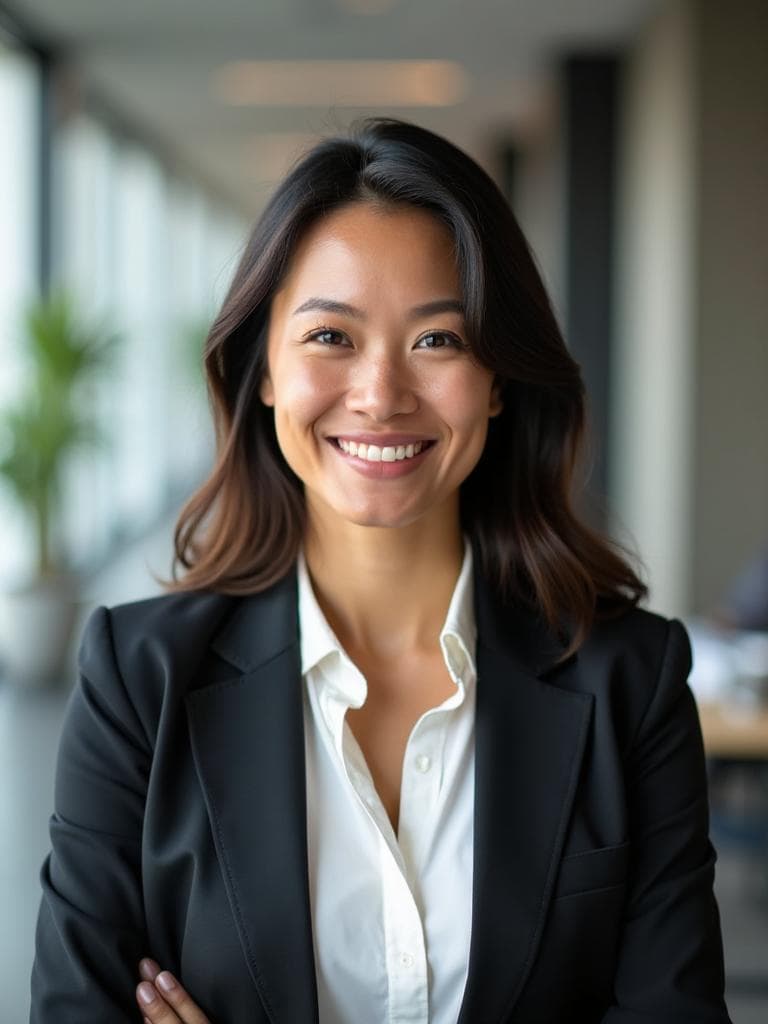
Examples generated with Kaptura AI · Results vary by input photos
You need a professional headshot. Maybe it's for a new job application, a LinkedIn refresh, or your company just asked the whole team to update their profiles by Friday. The problem? Booking a photographer feels like overkill for one photo — and the cost and scheduling hassle make it easy to keep putting off.
Here's what's changed: AI headshot generators have matured dramatically. Tools like Kaptura.ai now produce photorealistic, studio-quality headshots from a handful of selfies — for as little as $19. But is an AI professional photo really good enough to replace a session with a skilled photographer?
This article breaks down the real numbers. We'll compare cost, quality, speed, and convenience using actual data so you can make an informed decision — not just take a company's word for it.
How Much Do Professional Headshots Actually Cost in 2026?
The Real Price Range ($150–$500+)
Let's start with hard numbers. According to industry surveys, the national median cost for a professional headshot session is around $250.
But that median hides enormous variation:
- Cheapest state: Nevada at ~$150 per session
- Most expensive state: Wyoming at ~$550 per session
- Major metro markets (NYC, LA, San Francisco): $400–$500+
And here's the statistic that stings: 66% of photographers deliver 3 photos or fewer from a standard headshot session. At a median of $250, that's roughly $83 per usable image — assuming you like all of them.
Hidden Costs Nobody Mentions
The session fee is just the starting point. When you factor in the real total cost of getting a professional headshot, the number climbs fast:
- Time off work: 2–4 hours including travel ($50–$200 in opportunity cost)
- Travel and parking: $10–$50 depending on location
- Hair and makeup: $50–$150 if you want to look polished
- Wardrobe: $50–$200 if you need to buy something appropriate
- Rush retouching fees: $25–$75 for faster delivery
- Additional edited images: $25–$50 per extra photo
Total real cost: $350–$700+ when you account for everything.
AI Headshot Cost Breakdown: What You Actually Pay
AI Headshot Generator Pricing Compared (2026)
Here's where AI headshot cost gets interesting. We compared the major AI headshot generators currently on the market:
| Service | Cheapest Plan | Photos Included | Per-Photo Cost | Delivery Time |
|---|---|---|---|---|
| kaptura.ai | $19–$49 | 20–100 | as low as $0.49 | ~10 min |
| Other AI headshot tools | $29–$39 | 40 | $0.73–$0.98 | 45 min – 2 hrs |
Most AI headshot generators on the market charge $29–$39 for 40 photos. kaptura.ai starts at $19 for 20 headshots — and our Professional plan delivers 100 headshots for $49 (as low as $0.49 each).
What's Included in the AI Headshot Cost
Most AI headshot generators include more than you'd expect for the price:
- Multiple professional styles and backgrounds (business formal, creative, casual professional)
- HD resolution output (typically 1024×1024 or higher)
- Commercial usage license — use them anywhere
- No scheduling, no travel, no wardrobe stress
- Money-back guarantees — Kaptura.ai offers a 3-day money-back guarantee
The Hidden Savings Nobody Talks About
When comparing AI headshot cost to a photographer, the sticker price only tells half the story. With AI, you eliminate:
- Time off work ($50–$200 saved)
- Commute and parking ($10–$50 saved)
- Hair and makeup ($50–$150 saved)
- New outfit purchases ($50–$200 saved)
- Waiting days or weeks for delivery
The true cost gap: You're not comparing $19 vs. $250. You're comparing $19 vs. $350–$700+ in total investment.
Quality Comparison: Can AI Really Replace a Photographer?
This is the question everyone asks — and the honest answer is: it depends on what you need.
Where AI Headshots Excel
- Consistency across large teams. Every employee gets the same lighting, framing, and professional quality — perfect for company directories and "About Us" pages.
- Multiple variations from one upload. Get business formal, smart casual, and creative styles without changing outfits.
- No "bad photo day." AI works from your best angles across multiple selfies, so a bad night's sleep won't ruin a $250 session.
- Perfect for remote and global teams. Team members in different cities or countries all get matching headshots without coordinating a single photographer.
- LinkedIn, email signatures, Slack profiles. For standard digital use cases, AI delivers professional-quality results at normal viewing sizes.
Where Professional Photographers Still Win
- Ultra-specific creative direction. You want a particular mood, concept, or artistic vision that requires human collaboration.
- Real-world locations. Your brand story requires photos at your office, studio, or a specific backdrop.
- Large-format prints. Billboards, trade show banners, and magazine covers benefit from the higher resolution and detail of professional photography.
- High-stakes personal branding. C-suite executives going on a media tour, actors building a portfolio, or anyone whose headshot will face intense scrutiny.
- The experience itself. Some people value the confidence boost and personal attention of a professional session.
The LinkedIn Test
Here's a practical quality benchmark: would a recruiter scrolling LinkedIn notice the difference?
For the vast majority of AI headshots produced by current 2026 generators — no. The lighting is natural, the skin texture is realistic, and the backgrounds are clean. AI headshot quality has improved dramatically since the early tools of 2023. Today's generators produce photorealistic results that pass the casual inspection every professional headshot receives.
AI Headshots for LinkedIn: Why It's the #1 Use Case
LinkedIn Statistics That Prove Headshots Matter
If you're wondering whether upgrading your headshot is worth the effort, the data is unambiguous:
- Profiles with professional photos get 14× more views (according to LinkedIn)
- Profiles with photos are 36× more likely to receive messages (according to LinkedIn)
- The majority of recruiters say the profile photo influences their decision to click
- First impressions form in 1/10th of a second (Princeton research)
A professional headshot isn't a nice-to-have on LinkedIn. It's a multiplier for everything else on your profile.
What Makes a Great LinkedIn Headshot
Whether you go AI or photographer, your LinkedIn headshot should check these boxes:
- Head-and-shoulders framing — face takes up ~60% of the frame
- Neutral or softly blurred background — no distracting clutter
- Professional attire appropriate to your industry
- Good lighting — even, flattering, no harsh shadows
- Genuine expression — a natural smile outperforms a serious stare
- Minimum 400×400 pixels — AI generators typically deliver 1024×1024+, well above LinkedIn's requirements
Why Job Seekers Are Switching to AI Professional Photos
For people actively job hunting, AI headshots solve a painful timing problem:
- Speed: Update your headshot before a job application in under 30 minutes — no photographer has next-day availability.
- Cost: Invest $19–$39 instead of $250+ when you're between jobs and watching every dollar.
- Variety: Test different looks and styles to see which version gets more profile views and recruiter responses.
Job seekers on a budget can get 20 LinkedIn-ready headshots from Kaptura.ai for $19 — less than the cost of a single stock photo license.
Speed & Convenience: The Time Factor
Traditional Photographer Timeline
Here's the typical journey from "I need a headshot" to "I have a headshot" with a photographer:
- Research and book: 1–3 days comparing portfolios and checking availability
- Wait for appointment: 1–3 weeks (longer in busy markets)
- Attend session: 1–2 hours including travel time
- Wait for editing and delivery: 3–14 business days
- Request revisions (if needed): 2–7 additional days
Total: 1–4 weeks from decision to final photo.
AI Headshot Generator Timeline
Now the same journey with an AI headshot generator:
- Upload selfies: 5 minutes
- Select style and preferences: 2 minutes
- AI processing: 15–45 minutes (varies by service)
- Download and use: Immediate
Total: Under 1 hour, from your couch.
This speed difference isn't just convenient — it's a decisive advantage when opportunities move fast. A new job posting. A last-minute conference. A team page that needs to go live tomorrow. AI headshots turn a multi-week process into a lunch-break task.
How to Choose: Decision Framework
Instead of debating endlessly, use this simple framework.
Choose AI Headshots If You…
- Need a professional photo fast (job application, new role, event tomorrow)
- Want maximum value per dollar spent
- Need multiple styles and backgrounds from one session
- Work remotely or travel frequently
- Need team-wide consistency on a budget
- Use headshots primarily for digital channels (LinkedIn, email, company directory, Slack)
Choose a Professional Photographer If You…
- Need full creative and artistic control
- Want a personal branding experience beyond just the photo
- Have a specific real-world location in mind
- Budget isn't a constraint and time isn't urgent
- Need photos for print media or large-format displays
- Are in a high-visibility role where the headshot faces intense public scrutiny
The Smart Hybrid Approach
Here's what savvy professionals are doing in 2026: both.
Use AI headshots for day-to-day professional needs — your LinkedIn profile, email signature, Slack avatar, company directory. Update them whenever you want a fresh look. Then book a photographer once a year (or less) for premium branding content, editorial features, or high-impact marketing materials.
Start with Kaptura.ai's $19 Starter pack to see if AI headshots meet your needs — no risk with the 3-day money-back guarantee. If the results work for your use case (and for most professionals, they will), you've just saved yourself hundreds of dollars and weeks of hassle.
Best AI Headshot Generators in 2026
Here's a quick look at the top AI headshot generators available right now.
kaptura.ai — Best Value for Getting Started
- Price: From $19 for 20 headshots — as low as $0.49/photo on Professional plan
- Delivery: ~10 minutes
- Key features: 9 profession-specific styles, commercial license, HD quality, 3-day money-back guarantee
- Best for: First-time AI headshot users, job seekers, teams, budget-conscious professionals
kaptura.ai offers the lowest barrier to entry in the market with fast delivery and profession-specific styles designed for different industries.
The Bottom Line
The professional headshot landscape has fundamentally shifted. AI headshots are no longer a gimmick or a "good enough for now" compromise — they're a legitimate, high-quality, professional headshot alternative that delivers results for a fraction of the cost.
Here's the math: $19 and ~10 minutes vs. $250+ and 1–4 weeks. For 90% of professional use cases — LinkedIn profiles, email signatures, company directories, Slack avatars — AI delivers comparable results at 10–20× lower cost.
The smart move? Try it and judge for yourself.
Ready to upgrade your professional image? Get AI headshots from kaptura.ai starting at $19 → Upload your selfies and get studio-quality results in ~10 minutes.
Frequently Asked Questions
Are AI headshots good enough for LinkedIn?+
How much does an AI headshot cost?+
Can employers tell if you used an AI headshot?+
Do AI headshot generators store my photos?+
What's the best professional headshot alternative to a photographer?+
Are AI professional photos legal to use commercially?+
Get Your Professional Headshots
Profession-specific headshots from your selfies. Ready in ~10 minutes.